Microsoft Dynamics CRM 2011

Microsoft Dynamics CRM 2011

Monday, April 13, 2015

How to name SQL parameters in an SSIS Execute SQL Task

In this article we describe Step by step How to name SQL parameters in an SSIS Execute SQL Task , to avoid the common Sql Server Integration Services error : "Parameter name is unrecognized."  
We follow here the conventions introduced by  MSDN in the SQL Server documentation for SSIS . For explaining naming SQL parameters in an Execute SQL Task ,  we will make use of the following SSIS application:

 How to use SQL parameters in an Execute SQL Task


How to name SQL parameters in an SSIS Execute SQL Task


We will want to give to the SQL parameters a proper name in order to avoid  the "Execute SQL Task" error, that can be seen in the picture above   : "Parameter name is unrecognized." :


     How to use   Execute SQL Task


The  MSDN Documentation explains that naming conventions for using SQL  parameters in OLE DB  should be as follows:

How to use SQL parameters in an Execute SQL Task 1


Suppose that we have this SQL query which is using parameters. Then we must use the "?" marker this way :

 How to fix the SSIS error :  Parameter name is unrecognized. 1


All parameters must be mapped to the query markers, and indexed base "0" . So, as we have 4 "?" markers, we must name 4 parameters indexed from "0" to "3" ,  using integer numbers conforming to the index positions:


      WHEN ?  - ? <  0          
      WHEN ?  - ? > 0   


 How to use SQL parameters   2


That's all...Enjoy Dynamics CRM

by Carmel Schvartzman

כתב: כרמל שוורצמן


    Wednesday, December 3, 2014

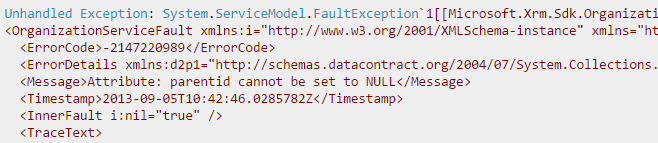
    How to fix the "Attribute: parentid cannot be set to NULL" exception in Dynamics CRM 2013 (2011)

    1. In this article we see how to fix the "Attribute: parentid cannot be set to NULL" exception in Dynamics CRM 2013 (2011) .

      How to fix the "Attribute: parentid cannot be set to NULL" exception in Dynamics CRM 2013 (2011)

    How to fix the "Attribute: parentid cannot be set to NULL" exception in Dynamics CRM 2013 (2011)


    1. This error appears in Dynamics CRM 2011 - 2013 custom Plugins or custom Workflows, or any C# code calling the Organization Web Service WCF endpoint using late binding. Specifically we're creating a new address for an Account or a Contact entity. The CustomerAddress CRM entity has a reference field which points to the "ParentId" , the Account or Contact to which belongs this new address :

      How to fix the "Attribute: parentid cannot be set to NULL" exception in Dynamics CRM 2013 (2011) 1
    2. The C# code above instantiates the "ParentId" field with the actual Account ID (guid) . The guid is guaranteed to contain a Value, elsewhere the code inside the brackets wouldn't be executed :
      How to fix the "Attribute: parentid cannot be set to NULL" exception in Dynamics CRM 2013 (2011) 2
    3. However, there is an exception raised , expressing that the value is null : the error message is misleading, since the data type of the CRM SQL column is indeed "uniqueidentifier" , therefore a Guid, which we tried to insert in the attribute:

    4. How to fix the "Attribute: parentid cannot be set to NULL" exception in Dynamics CRM 2013 (2011) 3

    5. You wouldn't imagine that that is not enough for CRM, and that it is expecting to get another Type at all: an "EntityReference" CRM type, and not just a Guid:

       
         /*  CREATE PARENT REFERENCE FOR CUSTOMER ADDRESS  */
                        EntityReference parentID = new EntityReference();                    parentID.Id = guidParentAccount.Value;                    parentID.LogicalName = "account";
                        oAccountAddress.Attributes["parentid"] = parentID;
                            /***************************************************/

                        This way you get rid of the error, giving to the CRM Organization Service exactly what it needed.
                        There is another way to write the code above, shorter, as follows:

                              /*  CREATE PARENT REFERENCE FOR CUSTOMER ADDRESS  */
                                  oAccountAddress["parentid"] = new EntityReference("account", guidParentAccount.Value );                                            /***************************************************/


                                      That's all...Enjoy Dynamics CRM

                                      by Carmel Schvartzman

                                      כתב: כרמל שוורצמן